


VPN - secure, fast VPN
4.0224.00 Reviews
App Specs
- Version
- 2.0.12
- Updated On
- License
- Free
- Downloads
- 10,000,000+
- Developer
- Stolitomson VPN
- Categories
- Communication
- Platform
- Android, iOS
Screenshots
 Analysis by AppCompare
I tend to judge a VPN by one practical question: does it make it easy to protect a connection when I actually need to use public or unfamiliar internet? VPN - secure, fast VPN is aimed at Android users who want a simple way to add a VPN connection to everyday browsing, without turning setup into a technical project. Its appeal is the straightforward, tap-to-connect approach; the more important question is whether that simplicity suits the way you use your phone.
What a one-tap connection changes
A VPN routes your internet traffic through a VPN connection rather than sending it directly over the network you joined. In daily use, the benefit is less about feeling invisible and more about having an additional layer between your device and the local network. That can be useful when you are checking email or browsing while connected to Wi-Fi you do not manage yourself.
The quick-connect style is particularly handy if you do not want to choose settings every time you open a VPN. I would treat it as a convenient connection tool, not a reason to assume that every online activity is automatically private or risk-free. A VPN does not replace careful choices about account security, suspicious links, or what information you share.
Where the simple workflow fits
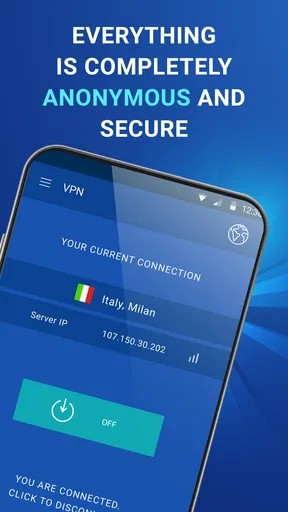
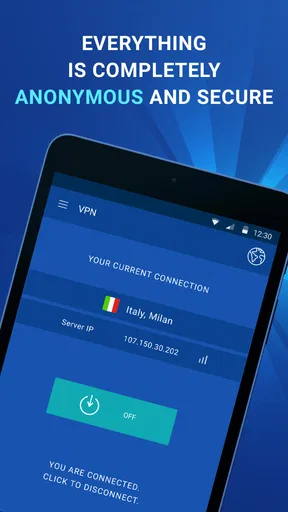
For example, imagine arriving early for an appointment and using the venue’s Wi-Fi to read messages, check a calendar, and look up directions. Opening a VPN first is an easy habit to build: connect, confirm that the app shows an active connection, and then carry on with the task. When you leave, disconnect if you no longer need it, especially if you prefer to keep your connection choices deliberate.
This kind of workflow is a better match for the app’s uncomplicated design than expecting a VPN to solve every network problem. If a page will not load, I would first check whether the VPN is connected and try the page again. If the issue continues, switching the connection or temporarily disconnecting can help identify whether the VPN is involved. That small troubleshooting step is more useful than repeatedly tapping connect without checking the status.
Choosing a VPN habit that suits you
Compared with setting up a VPN manually through a phone’s network settings, a dedicated app can make connecting feel more approachable. Manual configuration may suit people who want to manage the details themselves; an app is more convenient when the main goal is to turn protection on without learning every setup step. On the other hand, people who need advanced controls or a clearly documented technical setup should compare options carefully before choosing.
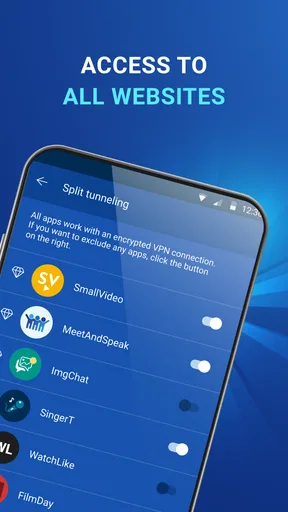
I also would not use a VPN as a shortcut around every location restriction. Services can apply their own rules, and a VPN connection does not guarantee that a particular website or streaming service will work as expected. If your main reason for installing one is access to a specific service, check whether that use is supported and permitted before relying on it.
Worth Reading Before You Choose

EA SPORTS FC Mobile 26 Is a Bigger Football Game, but It Takes Time

Flipboard Shows What News Apps Must Do Beyond the Feed

Switching to Android Auto Means Rethinking Your Driving Routine

Google Calendar Makes a Crowded Week Easier to Manage

Ludo King Makes the Most of the Minutes Between Plans

Baby Panda World Brings Quick Play to Modern Phones, but Its Game Library Feels Busy
For a more reliable routine, decide when you want the VPN on rather than treating it as a magic shield. Public Wi-Fi is a natural moment to consider it; a trusted home connection may call for a different choice depending on your needs. If a banking app, work tool, or other service behaves unusually, check the app’s connection status and consider whether that service works properly through a VPN before continuing.
Who is most likely to appreciate it
I can see the appeal for someone who is new to VPNs, often connects from cafés or waiting rooms, or wants a quick way to add a VPN step to ordinary browsing. It is less compelling for someone who expects detailed control over every aspect of a connection, needs a specific provider policy for work, or wants guaranteed access to a particular region-locked service. In those cases, comparing specialist alternatives and their documented terms is the sensible move.
Another useful distinction is between protecting traffic on a network and protecting an account. A VPN can change how your device routes its connection, but it cannot make a weak password strong or prevent you from entering credentials on a fake site. I would pair it with unique passwords and careful sign-in habits rather than relying on the VPN alone.
It is also worth thinking about when not to leave a VPN running. Some websites or apps may behave differently when a VPN is active, and a connection can add another variable when troubleshooting. If a service suddenly fails, temporarily testing without the VPN can tell you whether the connection is the cause. That is not a reason to abandon it; it is a practical way to avoid blaming the wrong part of your setup.
Getting Started with VPN - secure, fast VPN
First things first, downloading and setting up VPN - secure, fast VPN is a breeze. You can find it on both Android and iOS, so whichever smartphone you’re rocking, you’re covered. Once you’ve got it installed, the setup process is straightforward. No tech wizardry required here. Just a couple of taps and you’re ready to dive into the world of safe browsing.
Interface and Usability
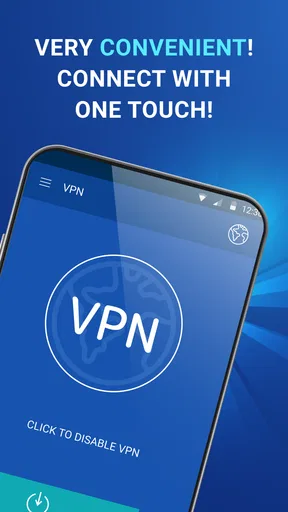
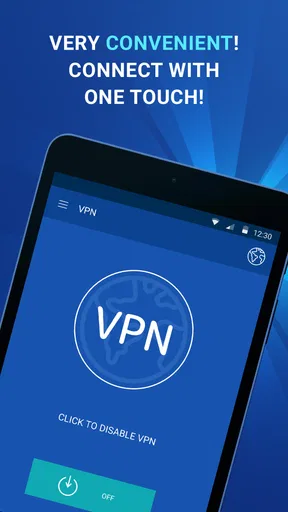
Now, let’s talk about the interface. I’m a sucker for apps that keep it simple, and this one does just that. The layout is clean and intuitive. You don’t need a manual to figure out where everything is. Just open the app, tap the big connect button, and you’re good to go. It’s like magic, but better because it’s real.
Navigating through the app is a piece of cake. Whether you’re switching servers or checking your connection status, everything is just a tap away. And the best part? No annoying ads popping up every two seconds to ruin your vibe.
Speed and Performance
Alright, let’s get to the meat of it. How fast is this thing? Because, let’s be real, nobody wants to wait around for pages to load. I’ve tested it with streaming, gaming, and basic browsing, and I was pleasantly surprised. The speed is top-notch. It’s like having the Autobahn of internet connections right in your pocket.
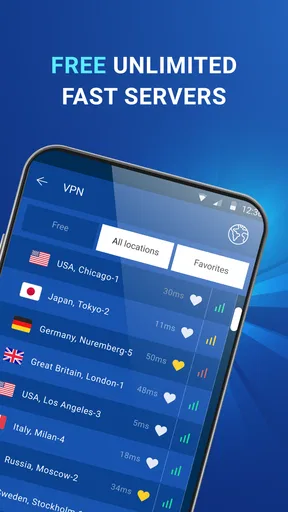
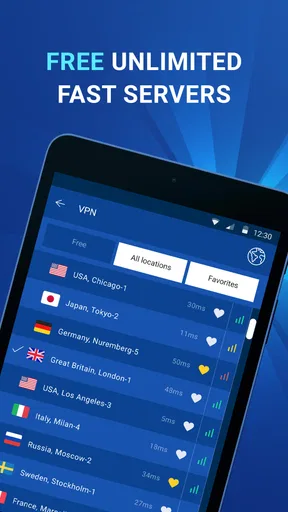
The app offers multiple server locations, which means you can connect from virtually anywhere in the world. Whether you’re trying to watch a show that’s geo-restricted or just want to browse safely, this app has got you covered. And switching between servers? Seamless.
Security Features
Now, onto the serious stuff. Security. This app doesn’t mess around. It uses military-grade encryption to keep your data safe from prying eyes. Plus, there’s a no-logs policy, which means they aren’t keeping track of your online shenanigans. It’s like being a ninja on the internet.
Another cool feature is the kill switch. If your VPN connection drops, this bad boy kicks in and cuts your internet connection to prevent any data leaks. It’s peace of mind on a silver platter.
Compatibility and Support
Compatibility-wise, it’s pretty versatile. Whether you’re on Wi-Fi, LTE, or even 3G, the app adapts and provides a stable connection. And if you run into any hiccups, their support is robust. You can get help through email or in-app support, and they’re pretty quick to respond. No leaving you hanging here!
Final Thoughts
All in all, VPN - secure, fast VPN is a solid choice for anyone looking to secure their online activities. It’s user-friendly, fast, and doesn’t skimp on security. Whether you’re a seasoned VPN user or a newbie, this app has something for everyone.
So, if you’re thinking about beefing up your internet security or just want to browse without borders, give this app a whirl. You might just find it’s exactly what you’ve been looking for. Happy surfing!
Cost, age suitability, and what to check
The app is free to install, with in-app purchases ranging from $2.99 to $10.99 per item. I would look at the purchase details before deciding whether to pay: the right choice depends on what you need from the VPN, not simply on wanting a connection button. It is rated for Everyone, and the developer is Stolitomson VPN.
It has an average rating of 4.0 from around 142,000 ratings, and has been installed over 10 million times. Those figures suggest that many people have tried it, but they cannot tell you whether its approach fits your own privacy expectations. The current version is 2.0.12, and it requires Android 7.0 or later.
My practical recommendation
My main advice is to test the app in the situations where you plan to use it, rather than judging a VPN only by a quick speed impression. Try your usual browsing on a familiar connection, then use it on a public network and see whether your essential apps still behave as expected. Pay attention to connection status and any service that reacts differently while the VPN is active.
For a casual Android user who values a simple setup, this can be an approachable starting point. If your needs involve sensitive work, strict privacy requirements, or unusually detailed control, I would compare providers on their documented practices and tools before settling on one. The app’s main strength is reducing friction; whether that is enough depends on how much control and assurance you expect from a VPN.
Pros
- High-speed connections for streaming.
- User-friendly interface for easy navigation.
- Supports multiple devices simultaneously.
- Offers a wide range of server locations.
- Strong encryption ensures data security.
Cons
- Limited free version features.
- Occasional connection drops.
- May slow down internet speed.
- No dedicated IP option available.
- Customer support lacks live chat.
FAQs for VPN - secure, fast VPN
What platforms is the VPN app compatible with?
The VPN app is available for both Android and iOS devices. It can be downloaded from the Google Play Store and the Apple App Store. It supports a wide range of devices, ensuring that you can protect your privacy and access content securely, whether you’re using a smartphone or a tablet.
Does the VPN app maintain user logs?
No, the VPN app is committed to ensuring user privacy and does not keep logs of your online activities. This means that your browsing history, connection times, and data usage are not recorded, providing a secure and private browsing experience. Always check the app's privacy policy for updates.
Can I use the VPN app to access geo-restricted content?
Yes, the VPN app allows you to bypass geo-restrictions and access content that may be unavailable in your region. By connecting to servers in different countries, you can stream videos, access websites, and use apps as if you were in a different location, enhancing your online freedom.
How does the app ensure a fast connection speed?
The VPN app offers a fast connection by utilizing high-speed servers located around the world. It automatically connects you to the fastest available server based on your location. This ensures that you experience minimal buffering and lag while streaming or browsing, even when connected to distant servers.
Is there a free version of the VPN app available?
Yes, the VPN app offers a free version with limited features and data usage. For those who need more comprehensive coverage, such as unlimited data and access to all server locations, there is a premium subscription available. This provides enhanced security features and a more robust VPN experience.


